
The Ultimate 4K Live TV & Event Guide Player
Red Carpet Player is a hardware-accelerated player interface and smart EPG organizer for playlists you already have — your own M3U/M3U8, Xtream, or network tuner source, plus XMLTV schedules. It ships with zero built-in channels, streams, or media content; everything you watch comes from the playlist you supply.
$9.99 $4.99 USD — Limited-Time Launch Price • One-Time Lifetime Pro Key
Smart EPG Category Filtering
 Soccer / Football
 Basketball
 American Football
 Ice Hockey
 Boxing
 MMA / Combat
 Cricket
 Motorsport
The Real Interface
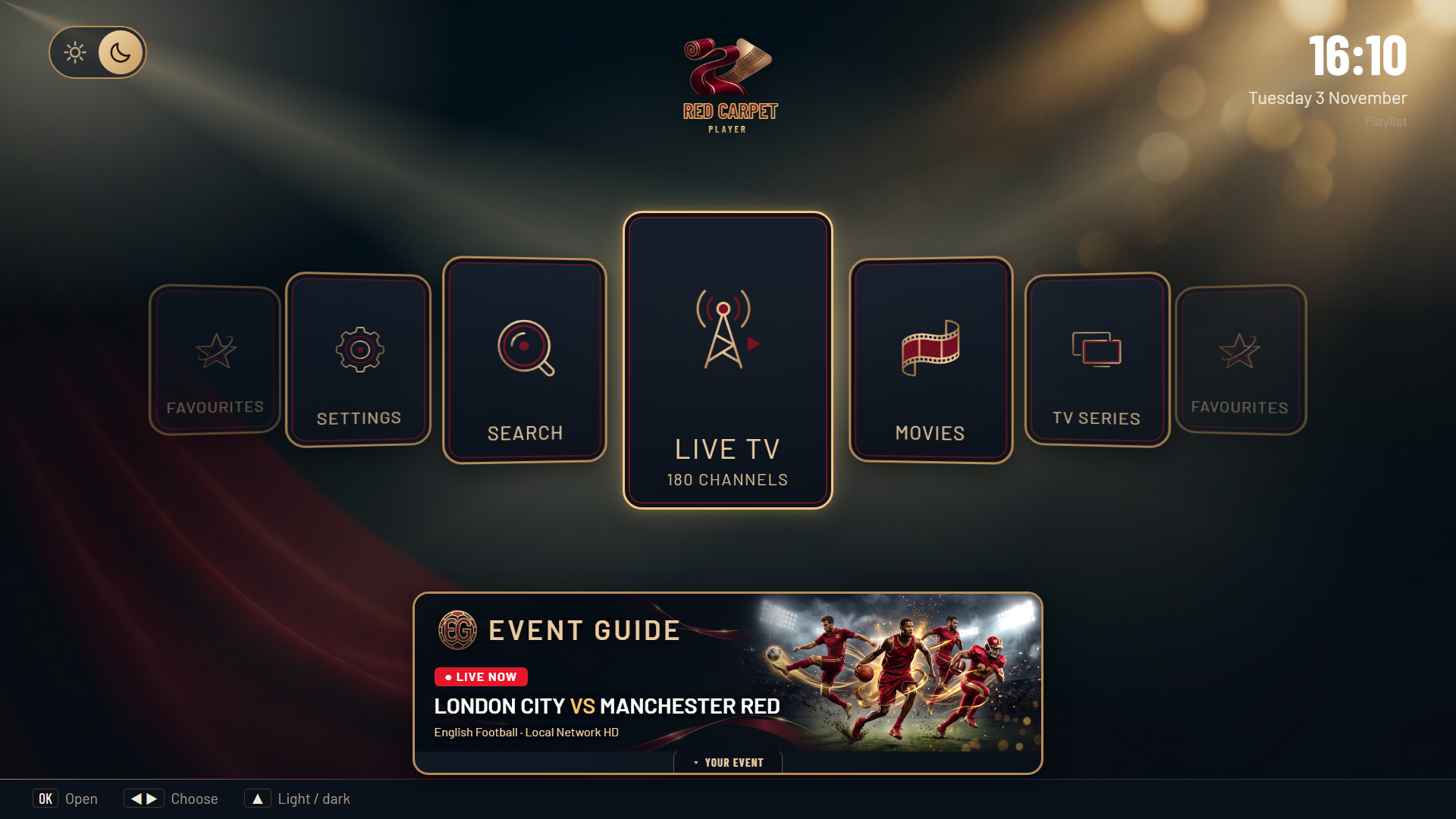
Home — your library tiles and the live Event Guide banner, right where you land.
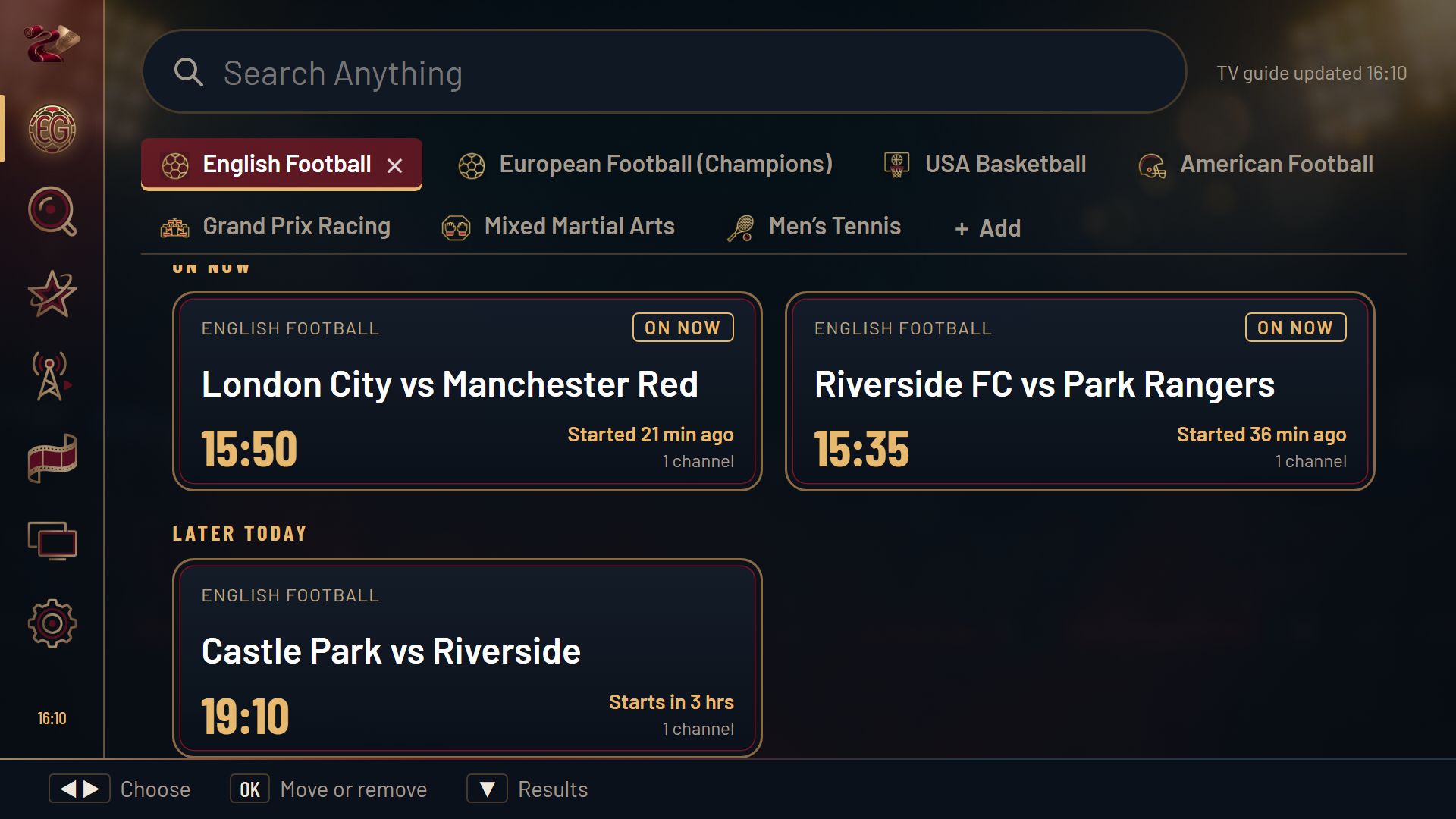
Event Guide — fixtures matched automatically against your own playlist, by category.
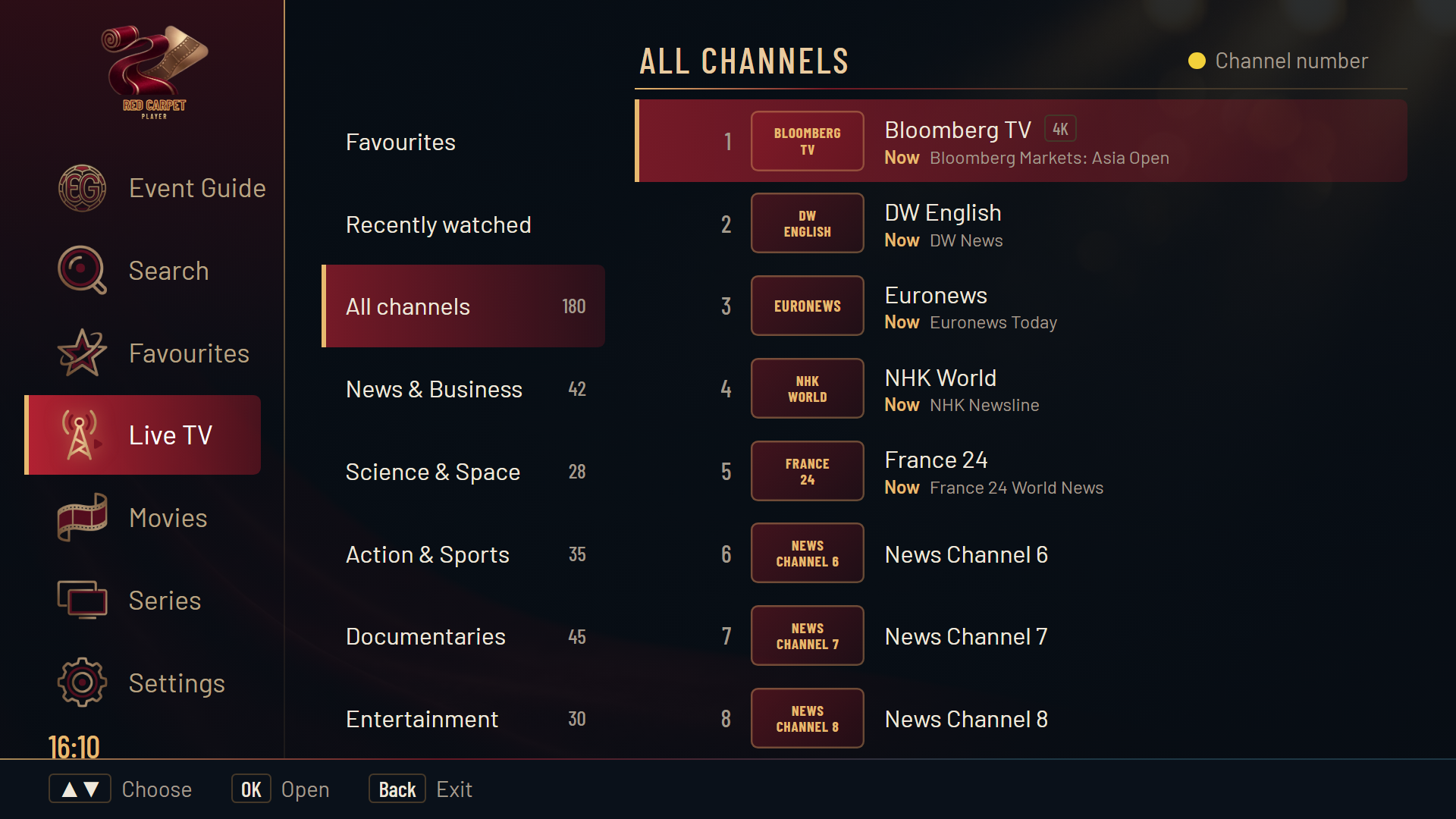
Live TV — your whole playlist, cached locally and searchable instantly.

Live Playback — real video, with the channel and programme info overlay on demand.
Supported Devices
Red Carpet Player installs directly as an APK. That only works on Android-based TV platforms — here's exactly what does and doesn't run it.
Supported — Direct APK / Downloader
Not Supported Natively
Using a Samsung or LG TV? Plug in any $40 Fire TV Stick 4K or Google TV device to run Red Carpet Player at full 60fps.
Dynamic Event Guide
Cross-references public fixture schedules against your local XMLTV guide and playlist categories automatically.
Instant Local Engine
Caches tens of thousands of channels on-device, so live TV, search, and guide switching open in milliseconds.
Custom EPG & Addon Sync
Attach supplemental XMLTV or JSON schedule feeds to fill in missing provider guide data, under your control.
Install & Unlock Pro in 3 Steps
Red Carpet Player is a standalone playback and guide utility — you bring the playlist, we make it fast and organised. Everything you need to go from install to Pro is on this one page.
- Bring your own M3U/M3U8 playlist or network tuner API
- Local channel caching
- Standard Event Guide matching
No recurring fees — one $4.99 payment unlocks Pro forever.
- Everything in the Free tier
- Smart EPG Channel Auto-Match & Manual Guide Re-mapping
- Pinned Channels, Custom Category Reordering & Search Shortcuts
- Multi-Source XMLTV & Supplemental Schedule Merging
- Lifetime v3.x Software Updates (Up to 5 Personal TV Devices)
Install Free on TV
Open the free Downloader by AFTVnews app on your Android TV / Fire TV and enter code 3149413 (or aftv.news/3149413 in any browser) to install Red Carpet Player and test it with your own playlist.
Buy Pro Key Here
Click “Get Red Carpet Pro ($4.99)” above from your phone or computer to receive your RCP-XXXX license key by email.
Activate On TV
On your TV app, open Settings → Red Carpet Pro (or tap any Pro feature) and enter your RCP-XXXX key to unlock Pro permanently.